
How to Create a Floor Plan with Your iPhone
By Salar Kiabi, Founder, FIMIT · · 5 min read
Last reviewed
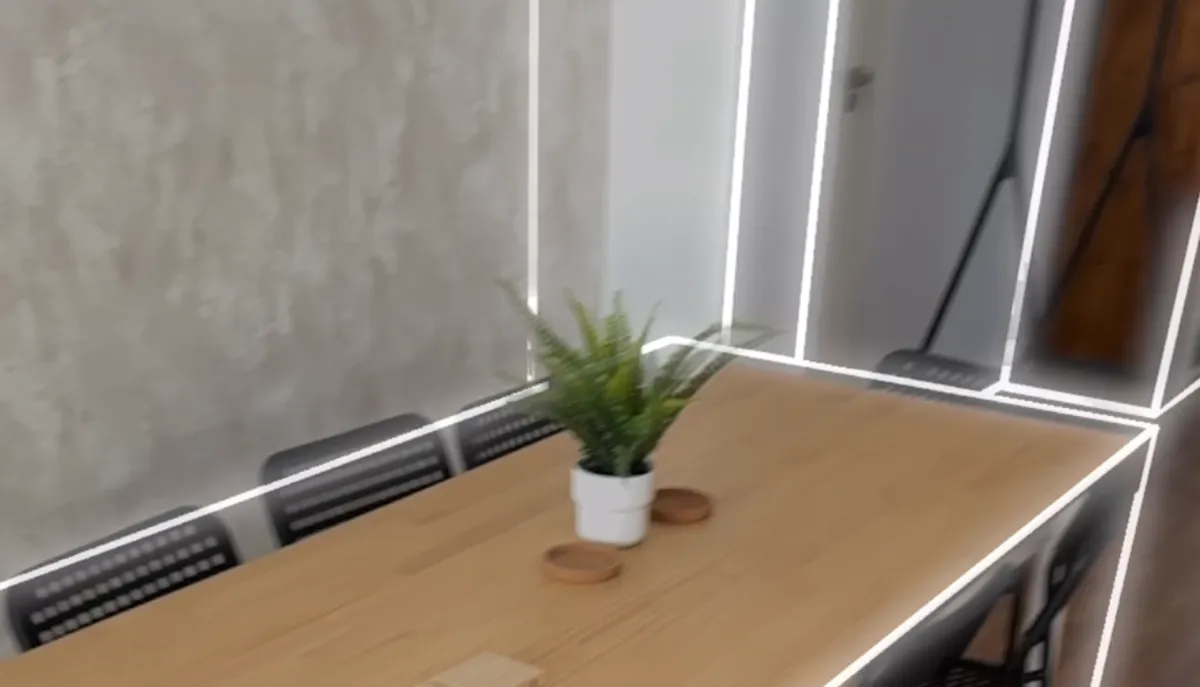
Making an iPhone floor plan used to sound like a shortcut that traded away accuracy. It no longer is. A recent iPhone Pro or iPad Pro carries a LiDAR scanner that records the real geometry of a room as you walk through it, and the right software turns that single walk-through into both an accurate, to-scale 2D floor plan and a 3D model — in minutes, with no tape measure, tripod or return visit. This guide walks through exactly what you need, how to capture a clean scan, how accurate the result is, and how to turn it into a plan you can publish or hand to a contractor.
What you need to make an iPhone floor plan
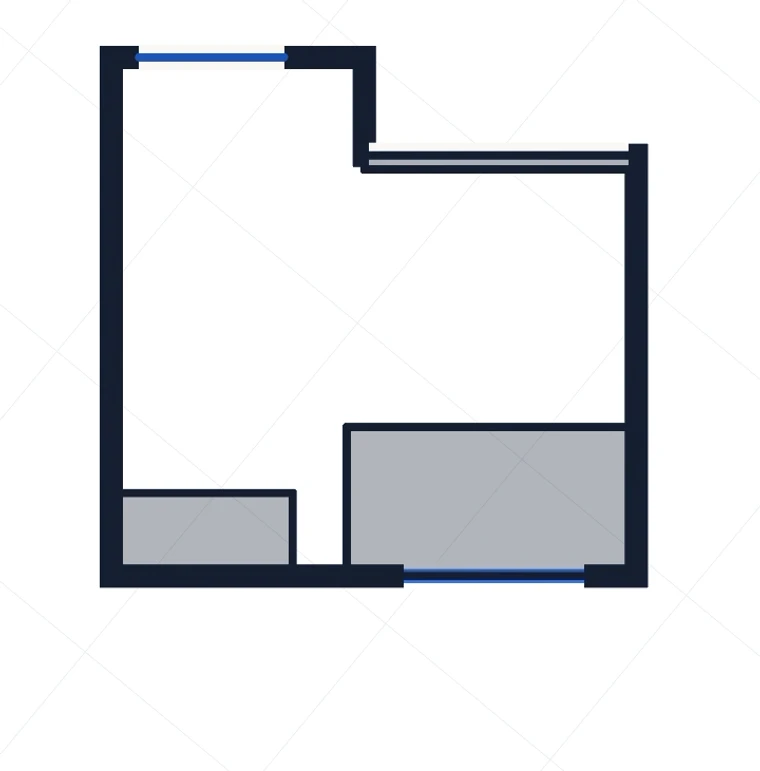
The barrier to entry is lower than most people expect. You do not need survey gear or any drawing skill — just a compatible device and an app that knows how to read the LiDAR data.
- A LiDAR-equipped iPhone Pro / Pro Max (every Pro model from the iPhone 12 Pro onwards) or a LiDAR-equipped iPad Pro. Standard, non-Pro iPhones do not carry the scanner — whatever their model year — so the LiDAR sensor is what separates the Pro models from the rest.
- A capture app built on Apple's RoomPlan and LiDAR, so it records true geometry rather than stitching photos together.
- A few minutes per room. Most rooms take under five minutes to walk, and a small flat can be done in a single session.
- Reasonable, even light. RoomPlan uses the camera alongside the LiDAR sensor to track the room as you move, so it needs a normally lit space — roughly office-level brightness, not a dark room. Mirrors, glass, and very high ceilings are the hardest cases, so declutter and light the space before you start.
How to capture a room, step by step
The whole technique comes down to one idea: give the scanner complete, steady coverage. LiDAR builds the model only from what it actually sees, so the goal is to show it every wall, corner and opening without rushing.
- Open the capture app and start a new scan in the room you want to measure.
- Slowly walk the perimeter, keeping the walls, floor and doorways in view of the camera as you move.
- Cover the whole space — corners, openings, alcoves and any recesses — so the geometry closes up with no gaps.
- Pause at doorways so the scan links rooms together correctly rather than treating them as separate.
- Finish the scan. The capture uploads and is processed into a model and plan automatically.
- Within minutes you have a 3D model and a clean, to-scale 2D floor plan you can measure and export.
The most common mistake is moving too fast. Steady, complete coverage beats speed every time — a calm walk around the full perimeter, catching every corner, produces a tighter and more accurate plan than a quick sweep that leaves the scanner guessing.
How accurate is an iPhone floor plan?
In good conditions, iPhone LiDAR captures are usually accurate to within a few centimetres — generally sufficient for real-estate floor areas, operational as-built records, space planning and maintenance scoping. Accuracy depends on the device, room size, surfaces and capture quality, though, so the honest answer is not a single headline number, and any dimension you will rely on for construction, contracts or safety is worth checking against a tape or laser. The tools worth trusting go a step further: they characterise how accurate each individual scan really is, measuring the systematic bias and the random noise against known references, so the floor area you publish is one you can actually stand behind rather than one you are hoping is right.
iPhone floor plan vs a tape measure or laser
A tape measure or laser distance meter gives you one dimension at a time, by hand, on site — and if you missed something, you have to go back. An iPhone LiDAR scan captures the room geometry in one pass, so measurements and floor areas can be pulled from the model later, from your desk, long after you have left the building. For anyone documenting many spaces — estate agents, facility managers, surveyors — that difference compounds fast. One walk-through becomes a permanent, measurable record instead of a handful of loose numbers on a clipboard.
Getting a clean capture every time
A few habits separate a plan you can publish from one you have to redo. Declutter where you can, because furniture and boxes can obscure the true wall line. Open internal doors so rooms connect properly. Watch out for glass, mirrors and very shiny or dark surfaces — they are the hardest thing for any LiDAR sensor, so scan them slowly and, where the software allows, tag them so they are handled correctly. And keep the phone at a natural chest height, moving at a walking pace, rather than sweeping it around quickly.
Who an iPhone floor plan is for
The people who get the most out of an iPhone floor plan are the ones who document space repeatedly. Estate agents — especially those selling to overseas buyers who shortlist online before they ever visit — can add a to-scale plan and a 3D tour to every listing without booking a specialist. Facility managers can keep as-built records current by re-capturing a room the moment it changes, instead of rationing expensive surveys. Surveyors and contractors can capture a site in one pass and pull measurements later from the model rather than returning with a tape. In each case the win is the same: capture once, measure and re-measure forever.
Turning the scan into a usable floor plan
FIMIT is built for exactly this workflow: walk a space with an iPhone and get an accurate 3D model and a precise, to-scale 2D floor plan in minutes. Every scan produces a 2D plan alongside the 3D model, with floor areas computed from the captured geometry rather than a manual estimate — ready to publish on a property listing, hand to a contractor, or keep as an always-current record of a building. You can tag surfaces like glass walls and floor types, and export the result — PDF reports on every plan, with downloadable 3D models (USDZ/GLB) and DXF for CAD on plans that include them. It is EU-hosted and GDPR-ready, with every scan, model and plan organised by building, project and room so your whole team works from one shared record.
Frequently asked questions
Can any iPhone make a floor plan, or do I need a Pro model?
You need an iPhone Pro, Pro Max or iPad Pro from the iPhone 12 Pro generation onward, because only those models include the LiDAR scanner that measures a room's geometry. Standard and older iPhones can run apps but lack the depth sensor, so they cannot produce an accurate, to-scale LiDAR floor plan on their own.
How long does it take to scan a room with an iPhone?
Most rooms take under five minutes to walk with an iPhone LiDAR scanner, and a small flat can be captured in a single session. The processing that turns your capture into a 2D floor plan and 3D model then happens automatically in minutes, so you typically have a finished, measurable plan very shortly after you stop scanning.
Do I need to be able to draw or use CAD to create a floor plan?
No. The whole point of an iPhone LiDAR floor plan is that the software builds the drawing from the geometry it records as you walk, so you never draw anything by hand. You capture the space, and a to-scale 2D plan and 3D model are generated for you — then you can export a PDF report, and on plans that include those exports, a downloadable 3D model (USDZ/GLB) or a DXF for CAD.
Can I measure a whole house or just single rooms?
You can capture a whole property. Walk each room keeping the walls and doorways in view, pausing at openings so the rooms connect correctly, and the scan assembles into a complete plan of the building. Because the geometry you walked is recorded, you can pull room dimensions or the total floor area from the finished model later, without going back on site.
Will an iPhone floor plan work in a dark or empty room?
Not a dark room, no. The LiDAR sensor can range in lower light than a camera alone, but RoomPlan also relies on the camera to track the room as you move, so the space needs reasonable, even lighting — roughly office-level brightness. An empty room, on the other hand, actually scans more cleanly, because furniture and clutter can hide the true wall line. The hardest surfaces are glass, mirrors and very shiny or dark materials — scan those slowly, and use software that lets you tag them so they are handled correctly.
Sources and further reading
About the author
Salar Kiabi, Founder, FIMIT
Salar Kiabi is the founder of FIMIT, which turns a single iPhone LiDAR walk-through into an accurate, to-scale 2D floor plan and 3D model for property and facility teams. He writes about measurement accuracy, capture technique, and getting a floor area from a phone that you can actually stand behind.
Related reading
- Floor Plans for Real Estate Listings: Why Serious Buyers Expect ThemA floor plan answers the questions photos cannot, so viewings are better qualified. What makes a great one, and how to make it from an iPhone.
- As-Built Floor Plans for Facility Management: Keep Building Data CurrentWhy as-built floor plans matter in facility management, how to keep them current without re-surveying, and how to capture them with an iPhone.